

In Deland, FL, LiftMaster keypads live in tough conditions. Humidity can creep under the keypad cover, afternoon rain can blow sideways into small gaps, and intense sun can heat the keypad face until buttons feel “soft.” After a storm or a quick power flicker, many homeowners find the LiftMaster garage door remote keypad suddenly won’t open the door, even though it worked yesterday.
The good news is that most keypad problems come from a short list of causes: lock mode is on, the battery is weak, the keypad needs LiftMaster keypad programming again, or the garage door opener is not receiving the signal well.
Quick Checks That Solve Most Keypad Problems
These quick checks resolve a large share of “not working” issues in minutes.
- The wall button works
- Opener has power
- Lock mode off
- Battery replaced
- Buttons press cleanly
If the wall button does not run the door, pause the keypad troubleshooting. The keypad cannot operate a door system that has a power issue, a door jam, or an opener problem.
If you also need to update access for security, read How to Change a LiftMaster Keypad Code.
Step-by-Step Troubleshooting for a LiftMaster Remote Keypad
Step 1: Confirm the opener and door are working
Press the wall button and watch the door. If the opener hums but the door does not move, the issue may be door resistance or an opener problem.
- Test wall control
- Listen for motor sound
- Watch door movement
If the door will not run safely or consistently from the wall button, garage door repair can help identify whether sensors, travel limits, or door resistance are causing the failure.
Family Handyman recommends testing the rest of the system first (wall control and other devices) to confirm the issue is truly the keypad and not the opener or safety system.

Step 2: Check the lock mode on the wall console
Many LiftMaster wall controls have a lock feature that disables remotes and keypads.
Here’s what to do:
- Look for a lock indicator light on the wall console
- Press and hold the lock button for a few seconds
- Test the keypad again
- Find the lock indicator
- Hold the lock button
- Test the keypad again
Step 3: Replace the keypad battery, even if it lights up
A keypad can still light up with a weak battery, but the signal may not be strong enough to reach the opener reliably. In Florida’s humidity, batteries can also fail in a “sometimes works” way before they fully die.
- Install a fresh battery
- Inspect metal contacts
- Remove visible corrosion
Step 4: Check for moisture and weather damage
Deland weather can shorten keypad life, especially if the keypad is mounted where rain hits it directly or where the sun bakes it for hours. Moisture can cause internal corrosion and button issues.
Look for signs like:
- Moisture under the cover
- Warped or cracked plastic
- Buttons that feel mushy or sticky
- Faded numbers that make mistypes more likely
- Moisture under cover
- Cracked keypad face
- Sticky button feel
- Faded number pads
Step 5: Test range and rule out interference
If the keypad works only when you stand close to the door, range is the issue, not the LiftMaster keypad code. Range problems often show up after storms if the battery is weak, the opener antenna got bumped, or interference increased.
Do these quick tests:
- Stand closer to the garage door and try again
- Try from a different angle
- Watch for any pattern, like works only right next to the keypad
Then look at the opener head unit. Many openers have a small hanging antenna wire. If it’s tucked up, wrapped, or pinned behind something, range can drop.
- Stand closer to the door
- Try a new angle
- Check the opener antenna
Also consider LED bulb interference. Some LED bulbs create radio noise that can reduce receiver sensitivity. If the keypad range got worse after you installed a new bulb, swap the bulb and retest.
- Remove LED interference
- Retest keypad range
Step 6: Reprogram the keypad to the opener
If the battery is fresh, lock mode is off, and the wall button works, the next step is LiftMaster keypad programming. After a storm or power flicker, the keypad can lose its pairing and may need to be synced again.
Basic programming flow:
- Press and release LEARN on the opener
- Enter your code on the keypad
- Press ENTER
- Press LEARN once
- Enter the code slowly
- Press ENTER firmly
Step 7: If programming won’t stick, reset the opener memory
If the opener refuses to learn the keypad, or the keypad works once and then fails again, the opener’s memory may be confused after storms or surges. In that case, a full reset can help.
- Reset memory if needed
- Reprogram devices after
- Test twice for success
Step 8: Confirm you’re entering the right code
This sounds obvious, but it’s a real cause of “not working” calls. After storms, homeowners sometimes try different codes, and then no one remembers which one was last saved. Also, faded numbers can lead to mistypes.
- Avoid repeated guessing
- Set fresh code instead
If the issue began right after a power outage, read How to Program a LiftMaster Garage Door Keypad After a Power Outage.
Common Symptoms and What They Usually Mean
Use these patterns to narrow your troubleshooting faster.
The keypad lights up, but the opener does nothing
Most common causes:
- Lock mode on
- Weak battery
- Keypad not programmed
- Interference or reduced range
- Lock mode enabled
- Battery too weak
- Keypad not paired
- Signal interference present
The keypad works sometimes, not always
Most common causes:
- The battery is fading
- Moisture inside the keypad
- Corrosion on contacts
- Buttons wearing out
- Battery fading fast
- Moisture inside the keypad
- Corroded contacts
- Worn button pad
The keypad works only up close
Most common causes:
- Interference (often LED bulbs)
- Antenna placement issue
- Receiver sensitivity problem
- Weak battery
- LED interference issue
- Antenna tucked up
- Receiver sensitivity low
- Battery weak still
The keypad won’t program at all
Most common causes:
- Wrong programming steps for the model
- Opener not entering learn mode
- Keypad failure
- Logic board or receiver issue
- Learn mode not active
- The keypad can’t transmit
- Receiver not responding
For the exact steps that clear confused pairing and restore clean programming, read How to Reset a LiftMaster Keypad Code After a Storm or Wi-Fi Reset.
Florida-Specific Causes That Keep Coming Back
Florida weather adds repeat problems that homeowners don’t always connect to keypads.
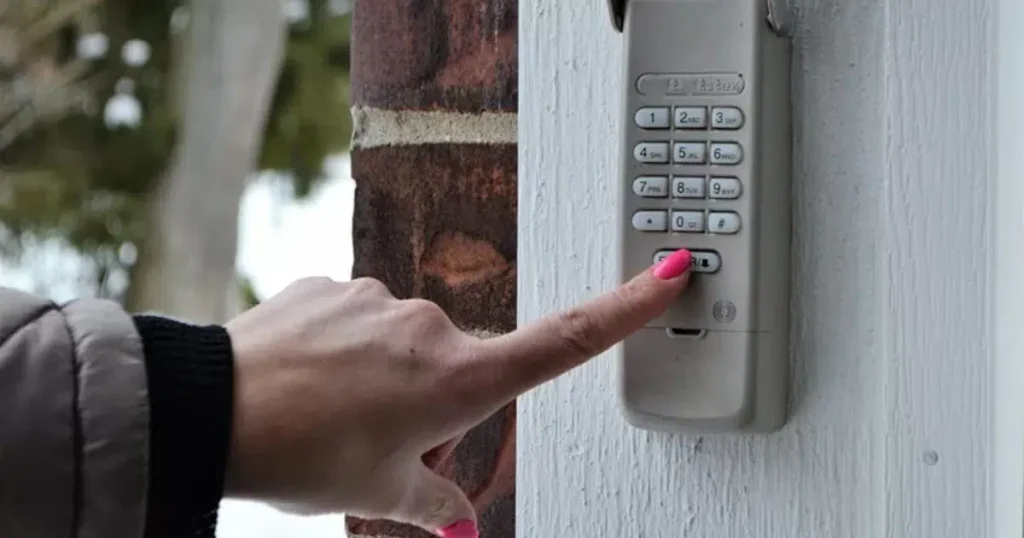
Humidity and condensation
Humidity can create condensation inside the keypad cover. Over time, that leads to corrosion and button issues.
- Condensation under cover
- Corrosion on contacts
Angi guide summarizes common keypad failure causes, like battery, lock mode, and reprogramming needs when reliability drops.
Rain exposure and mounting location
Keypads mounted without protection can be directly exposed to rain, especially during wind-driven storms.
- Direct rain exposure
- Loose mounting gaps
Heat and sun damage
Direct sun can warp plastic and soften rubber buttons. This can make key presses inconsistent, which looks like the LiftMaster keypad code is wrong when it’s really a button not registering.
- Heat-worn buttons
- Warped keypad face
Get Your Keypad Working Again
Dynamic Garage Doors can help pinpoint whether the issue is the keypad, the opener receiver, interference, or weather-related damage, so you can restore reliable access without repeat problems. We also verify programming, range, and lock settings to make sure the solution holds up long after the service visit. Contact us or give us a call.
Frequently Asked Questions
Can humidity or moisture cause keypad problems even when it still lights up?
Yes. Moisture can corrode contacts and reduce reliability.
How can we tell if lock mode is turned on and blocking keypad use?
The wall console often shows a lock indicator, and holding the lock button usually turns it off.
Do we need Wi-Fi for the keypad to operate the door?
No. Wi-Fi is for app features. The keypad communicates directly with the opener.
Why does it only work when we stand close to the door?
That’s usually battery strength, interference, or receiver range issues.
What should we check if programming fails every time we try it?
We confirm the opener enters learn mode, then consider a reset if storms caused memory issues.
Will a reset remove remotes along with the keypad?
Often yes. After a reset, we usually need to reprogram remotes and keypads.
Can the keypad wear out over time?
Yes. Worn buttons and weather exposure can cause failure over time.
Why does the door reverse when we use the keypad?
That points to sensors or travel settings, not the keypad.
When should we replace the keypad instead of troubleshooting?
If it has water damage or won’t hold programming after the basics, replacement is often the practical choice.